Your browser, in the mood you're in.
Shadewash reads the one thing Chrome already tells it — the tab you are on — and quietly shifts your New Tab to suit. Planning a holiday looks like a holiday. Debugging looks like debugging. Nothing you do is sent anywhere, because it cannot be.
- No network requests, of any kind
- Never reads your history
- Never stores what you searched
- 50 themes, blended by meaning
The short version
Every other "smart" browser extension gets smart by sending your browsing to a server. Shadewash does the whole job on your machine, in about half a millisecond.
Three separate things hold that up, because one would not be enough:
the manifest's connect-src 'none', which Chrome enforces on its pages; a scan of
every shipped file for fetch, XMLHttpRequest and WebSocket,
which runs in the test suite; and a runtime guard that makes such a call throw if one is ever
added. You do not have to trust us on the first — the
Leak Check tab will find it, and it works on any
extension, not just ours.
What you actually see
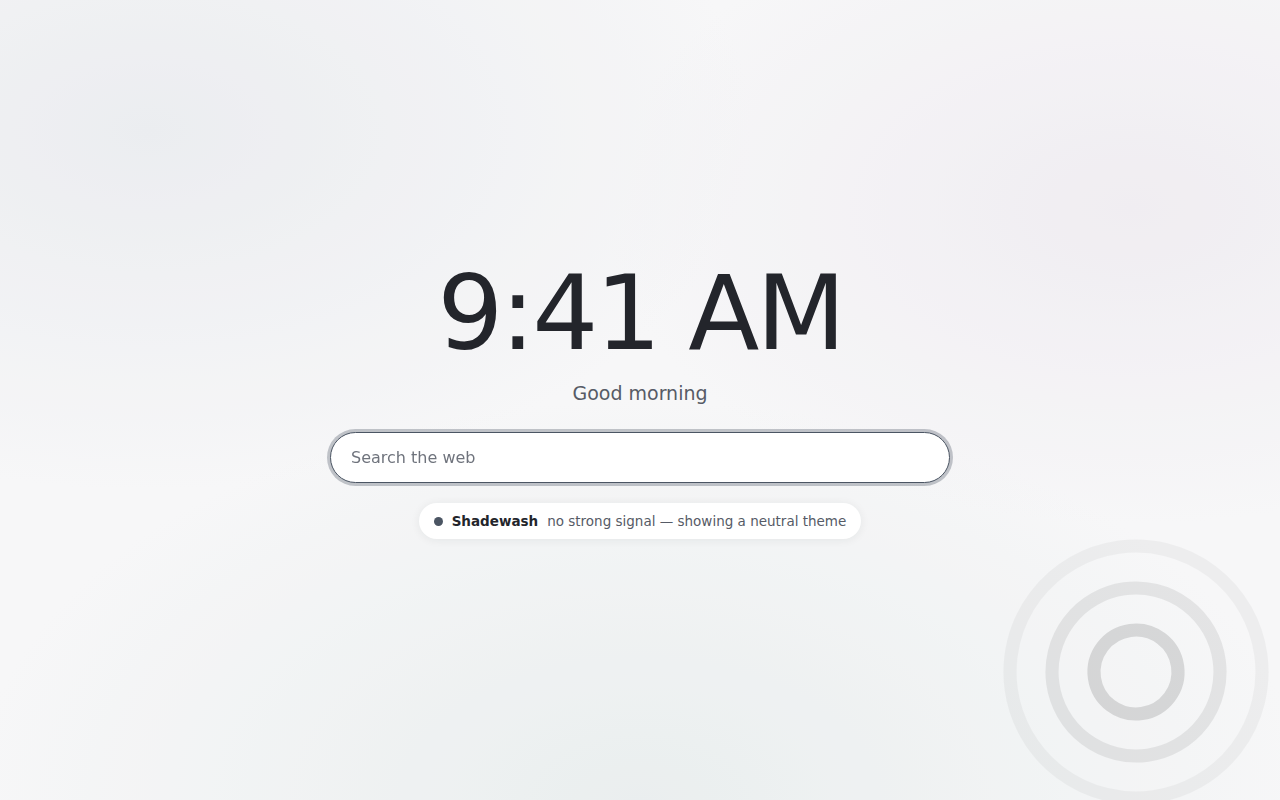
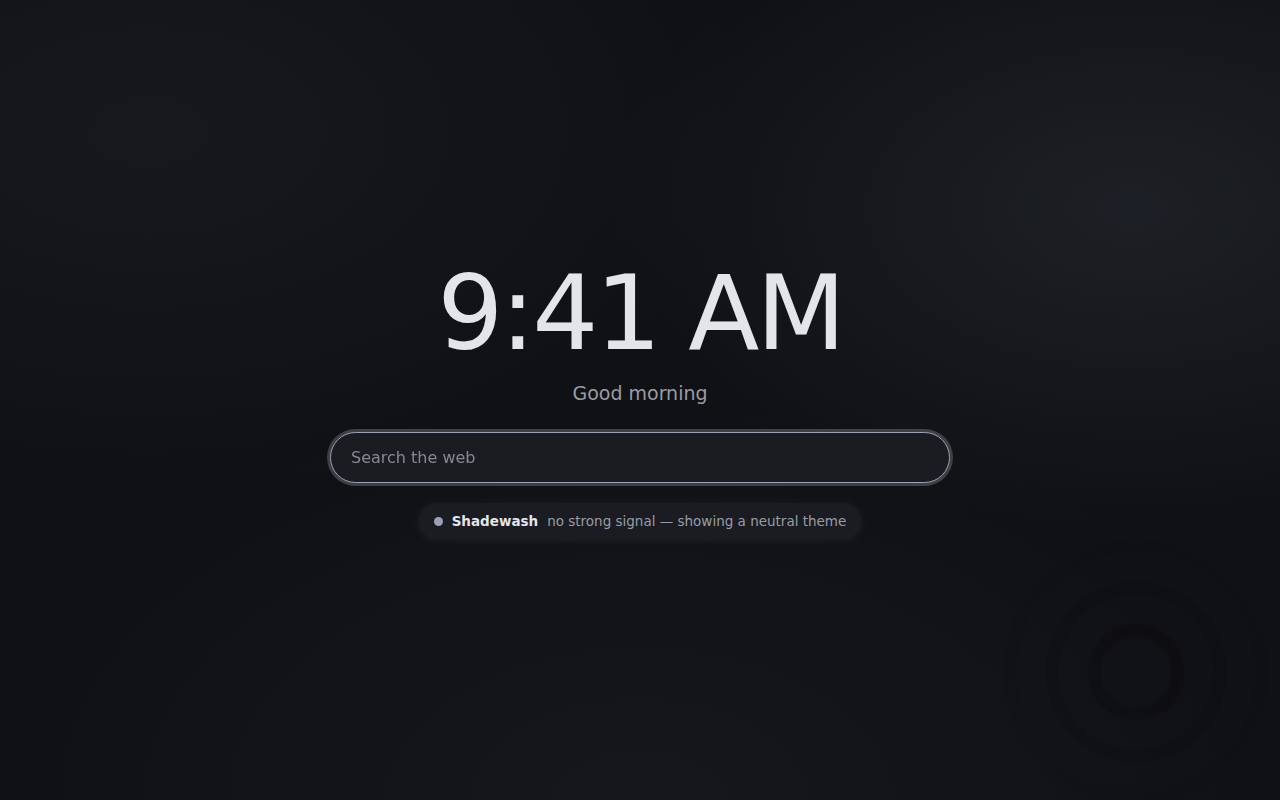
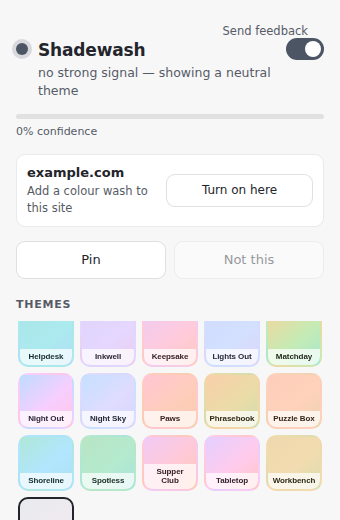
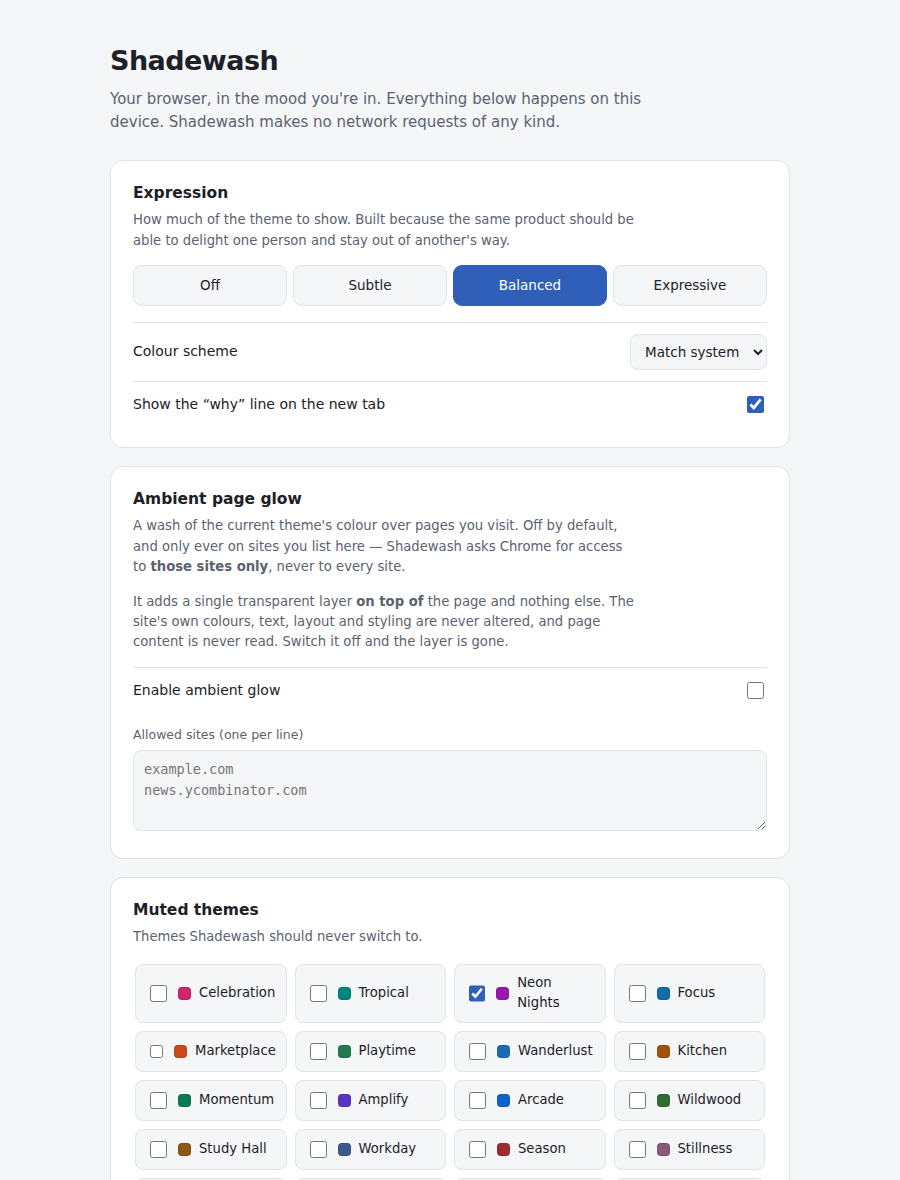
Three surfaces, and none of them ask you to do anything.
Using it, step by step
There is no account, no onboarding and no tour. This is genuinely all of it.
-
Install it, and carry on
Nothing opens. No welcome tab, no "allow notifications", no checklist. The first sign you have it is the next time you open a New Tab.
-
Search for something you were going to search for anyway
Shadewash reads the address and title of the tab you are on. On a search page that is enough to tell that you are reading recipes rather than filing a bug.
-
Open a New Tab
The colours have moved. One line underneath says why — because "sourdough starter", "proving basket" in your search — so it is never mysterious.
-
If it guesses wrong, tell it
Click the icon, then Not this. It drops the theme and stops choosing that one on that site. Pin does the opposite: hold a theme until you unpin it.
-
Tune how loud it is
Settings has four levels from Off to Expressive. Subtle is a wash you half-notice; Expressive is unmistakable. You can also mute individual themes and block whole sites.
-
Optional: colour the pages themselves
Ambient glow lays one transparent layer over sites you list, and only those. It is off by default, and the permission for it is requested at the moment you switch it on — never at install.
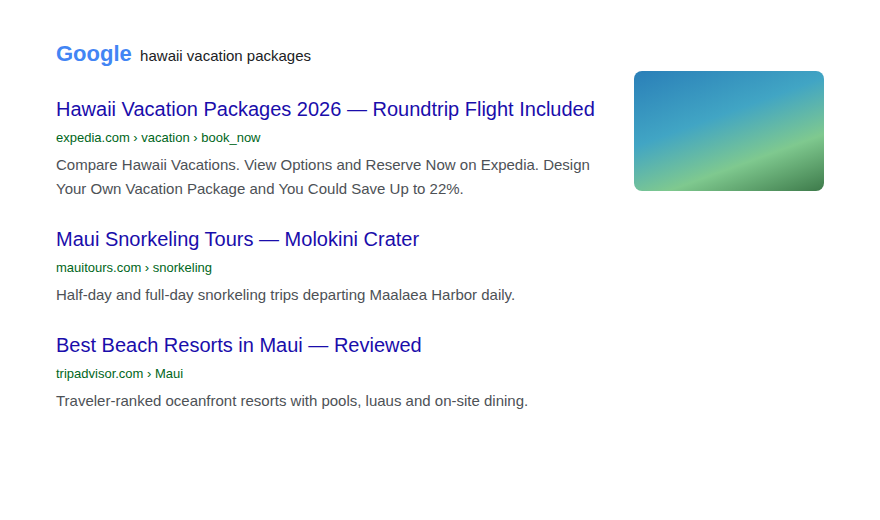
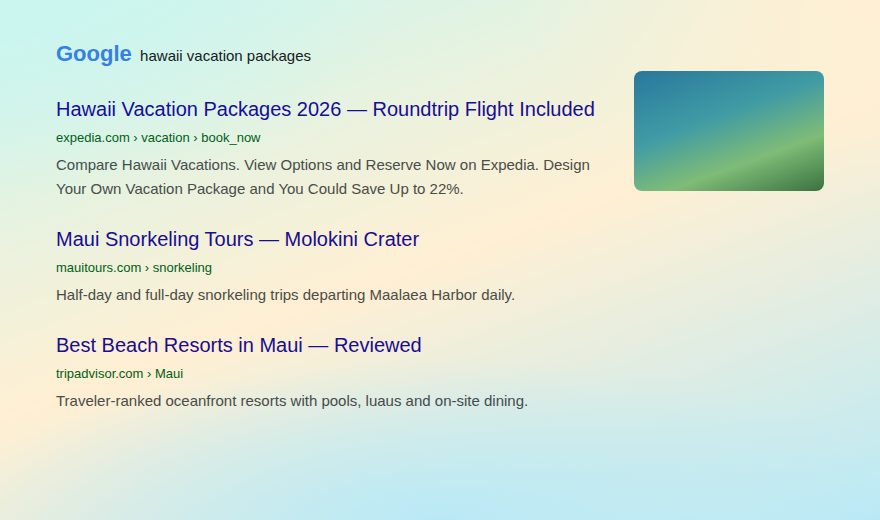
Ambient glow, off and on
The same search results page, with glow off and at Expressive. The site's own colours, text and layout are untouched — this is one transparent layer laid on top, and nothing on the page is read.
What it never does
These are enforced by the manifest and by tests, not by a promise in a privacy policy.
| It asks for | Which lets it | It is used for |
|---|---|---|
tabs | Read the title and address of your tabs | The only thing it knows. No page content, ever. |
storage | Keep data in the browser | Your settings, the current theme, and a 50-entry log of host + matched words. |
activeTab | Touch the tab you are on, after a click | Drawing the optional glow. |
scripting | Inject code into pages it may touch | The same glow. One transparent layer, nothing read. |
| Host access | Read and change pages on sites you list | Requested when you turn glow on, never at install. |
Not requested, and never will be: browsing history, bookmarks, cookies, downloads, or the contents of any page. It is disabled in Incognito by the manifest and cannot be switched on there.
There is also a firewall, and it is not optional
Shadewash refuses to react to three things: anything illegal (drugs, violence, theft, fraud, hacking, evading the police), anything most people would call wrong whether or not it is illegal (cheating on a partner or in an exam, adult content), and anything that says someone is in trouble (self-harm, abuse, a crisis line, a funeral). It scores nothing, stores nothing, and leaves your theme exactly as it was — snapping to a neutral theme would itself tell anyone watching your screen that something was on it.
Everything else — a diagnosis, a mortgage, a job application, a date, a candidate, a faith — is ordinary life, and it is treated like any other page.
Questions people actually ask
Does it really make no network requests?
The manifest sets connect-src 'none', which means Chrome itself refuses any fetch,
XHR or WebSocket the extension attempts. It is not a policy, it is the browser blocking it.
Paste our manifest into Leak Check and you will see
that line found and reported.
How does it understand a search it has never seen?
Two layers. A keyword matcher handles the obvious, with typo tolerance. Anything it does not recognise goes to a small word-embedding model that ships inside the extension, which places the search against 50 anchor themes by meaning and blends the nearest few into one palette. Both run on your device. Neither has anywhere to send a query.
Why does the extension page in Chrome look scary?
Because Chrome describes tabs as "read your browsing history", which is not what
the permission does — it grants the title and address of open tabs, not the history database.
Settings explains both warnings line by line. This is a good habit to have about every
extension you install, which is why the Leak Check
tab exists.
Is it finished?
No — it is beta, and detection is deliberately conservative. If it picks the wrong mood, use Not this, and if something is broken, the Feedback tab will help you write a report that is actually useful.
What can that extension actually see?
Paste an extension's permissions and this will tell you, in plain English, what they allow — what it can read, what it can change, and whether anything in the manifest stops it sending that somewhere. It runs entirely in your browser.
Where to find this in Chrome
Open
chrome://extensionsOr Menu → Extensions → Manage Extensions.
Click Details on the extension you are wondering about
The ID is on that page — a 32-letter string. So is a Permissions section, and a Site access setting.
Copy the Permissions text and paste it above
That is Chrome's own wording, and this page understands it. For the fuller picture, the store listing's Privacy practices panel is worth reading beside it.
Better: read the manifest that is actually running
Chrome keeps the installed copy on your own disk, and that is the one governing what the extension can do — not whatever a store page or a repository shows. Open the folder for the ID, then the version folder inside it, and paste its
manifest.json:~/Library/Application Support/Google/Chrome/Default/Extensions/(macOS)
%LOCALAPPDATA%\Google\Chrome\User Data\Default\Extensions\(Windows)
~/.config/google-chrome/Default/Extensions/(Linux)The rest of the extension's code is in that folder too, which is the only place any of this can be checked properly.
What this page cannot tell you
- A manifest is a list of capabilities, not behaviour. "Can read every page you visit" is not "does read every page you visit". Most extensions holding broad permissions are perfectly honest; they just have no way to prove it from the manifest alone.
- It cannot show you where data goes. Only reading the code or watching the network
can do that.
connect-srccomes closest, because it is a limit Chrome enforces rather than a claim the developer makes — but it covers the extension's own pages, not code it injects into other pages, so treat it as a bound and not a seal. - The store's "Privacy practices" panel is a declaration, not a measurement. It is the developer's own statement about what they collect and whether they sell it. Useful, and worth reading, but it is a promise.
- It describes the manifest in front of you, which may not be the one installed. A store listing, a GitHub repository and the package that actually reached your machine can all differ, and extensions update themselves. Read the copy in your own profile — the step below says where — and remember that a well-behaved version 1.2 tells you nothing about 1.3.
This page is deliberately built so that it can only describe what a permission allows. It will never tell you that a named product is spying on you, because from a manifest nobody can honestly know that.
Why a manifest is worth reading anyway
It is not a self-report in the way a privacy policy is. Chrome enforces it: an
extension that did not ask for history does not get chrome.history —
the API is simply not there in its world. So a manifest cannot under-claim. It can ask for far
more than it uses, but it cannot quietly use something it never asked for.
That is exactly the shape of guarantee you want from a safety check: a ceiling on what is possible, which the browser holds up, rather than a description of intent, which only the developer can offer. Everything on this page is about that ceiling.
Nothing you paste here leaves your browser
There is no server. The analysis is a script that shipped with this page, and it runs on your machine — which means we never learn which extensions you were worried enough about to check. A privacy tool that logged that would be a bad joke. You can disconnect from the internet and this tab still works.
Something went wrong. Tell us what.
The most useful bug report says what you did, what you expected, and what happened instead. This builds one in that shape, then hands it to you to send — it does not send anything by itself.
Please don't paste anything private
We do not need your actual search. "A search about a health condition" tells us everything "chemotherapy side effects" would. If a theme fired on something you would rather not write down, describe the shape of it and we will work from that.
Why this form does not submit
A form that posts straight from this page would mean a server, and a server means logs, and logs mean this site knows something about you. Copy the report puts the text on your clipboard and you decide where it goes. It is a little more work for you and a great deal less data held about you, which is the same trade the extension makes everywhere else.